


The instruction manual for your mobile phone states that it should not be held directly against your body, so there is every reason to be careful. By not having internet connections with WiFi or mobile data turned on, the connection time is significantly reduced.
Turn off WiFi + Mobile Data + Bluetooth when not needed (under quick settings) as the base station of cordless phones emit signals all the time, not just when you are talking on them. You can still make calls and text messages with your mobile phone. Note! If you do this under quick settings on an iPhone, it will automatically turn it back on after a certain time, so on an iPhone it is best to go under Settings and do it properly
Download what you/the children are going to watch if possible, and then turn off Wi-Fi
Bluetooth is not recommended, it is mostly used for wireless headphones that radiate every second in standby
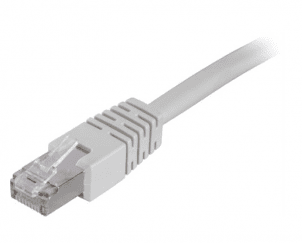
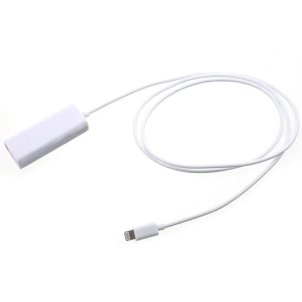
Use a network cable as often as possible when you go online with your mobile phone/tablet. By connecting a mobile phone or tablet to the internet router via a network cable, so-called “ethernet”, you can surf completely without radiation from your mobile phone/tablet
In the video, you will learn how you can reduce your exposure to electromagnetic radiation from mobile phones and tablets. The instruction manual for the mobile phone states that it must not be held directly against the body, so there is every reason to be careful. By not having Internet connections with WiFi or mobile data turned on, the connection time is reduced significantly.klicka här






RTK Emf Protection was founded in Sweden over 30 years ago. RTK Emf Protection is at the forefront of providing businesses and individuals ways of dealing with disruptive electromagnetic fields.

The product has been added to your cart

